The console, page by page
The console is the reason Emuplane exists: every claim it makes is backed by a read the console can actually perform. A page that cannot read something says so instead of showing an empty table.
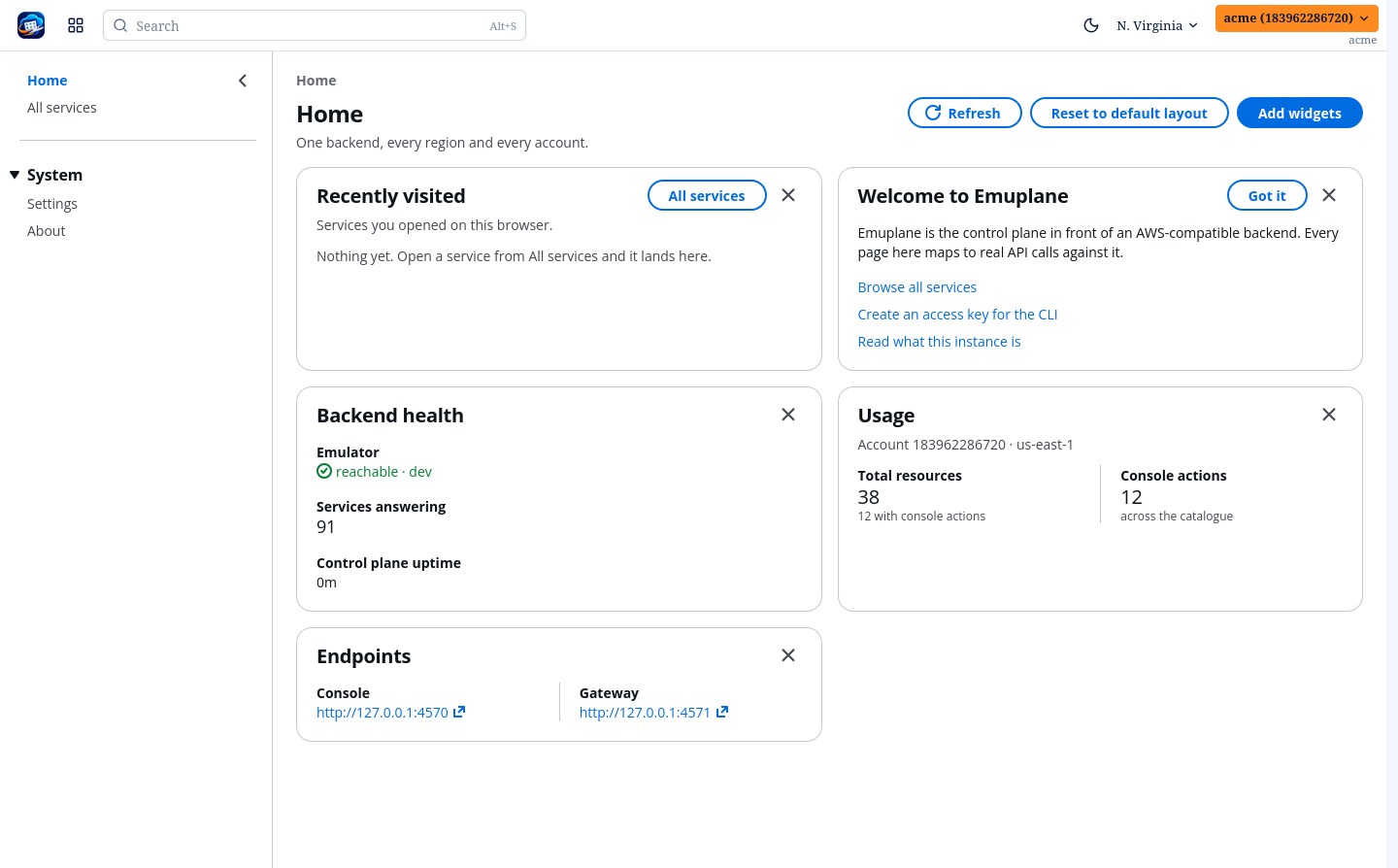
The frame
- Region menu (top bar) — sets the region every page acts in, and follows into the URL, so a page you can see is a page you can bookmark.
- Navigation — services down the side. S3 is the one with purpose-built pages today; every other service opens the generic service page until its own pages land, so adding pages later changes the menu rather than the rule.
- Account menu — the signed-in account, its access keys, its regions, and the sign-in screens.
Signing out is a real session revocation, and a wrong password is answered as a wrong password rather than as "your session expired".
Every service is browsable
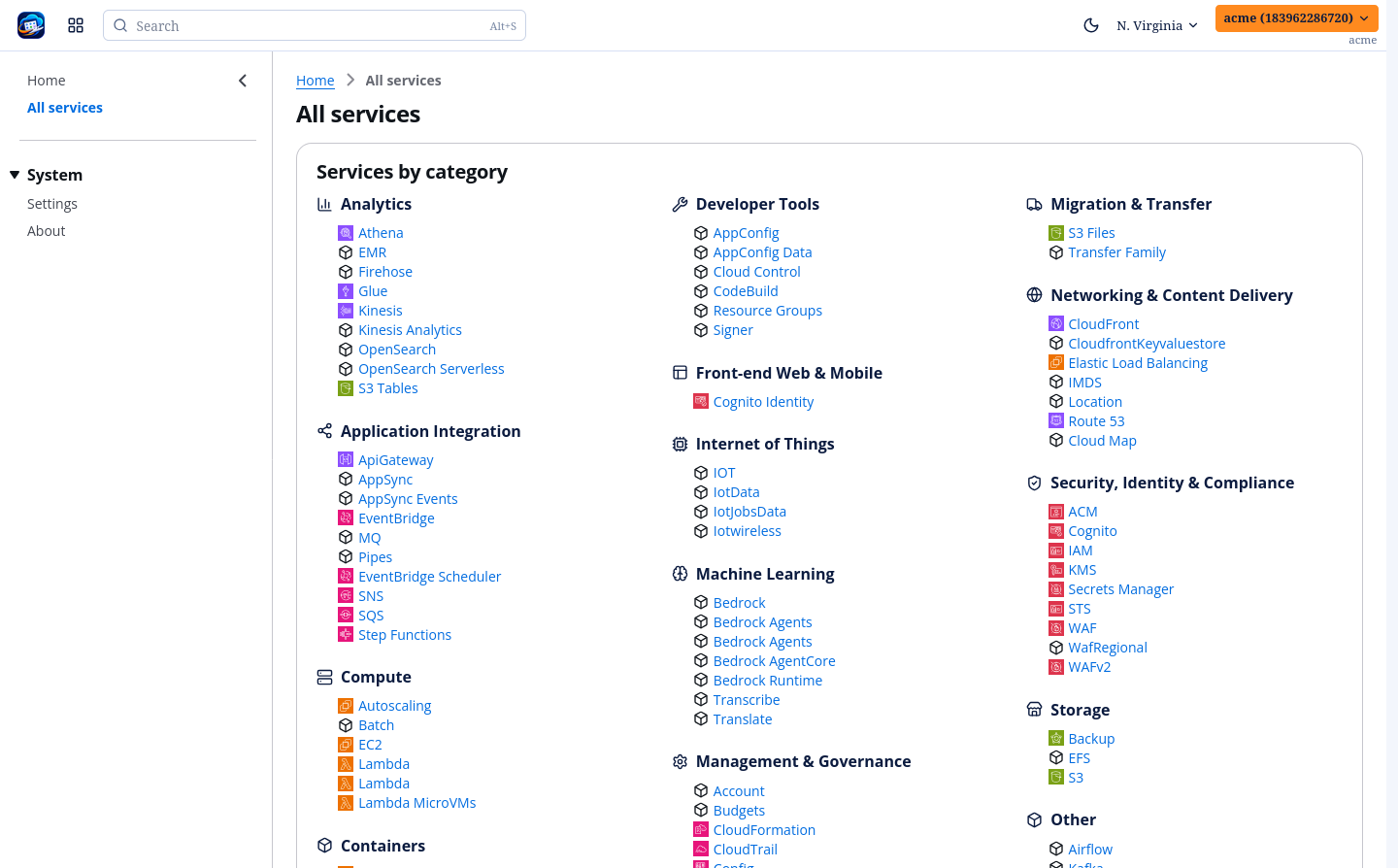
Every service the emulator advertises is browsable: the console reads what the emulator holds and groups it by kind (IAM users/roles/groups/policies, EC2 instances/security groups/key pairs, and so on), one tab per kind.
Eleven services also ship actions — s3, ec2, sqs, sns, dynamodb,
iam, logs, secretsmanager, ssm, kinesis, stepfunctions. The API
explorer drives those through one control route (/api/exec), with the AWS call
each action maps to shown before you press it.
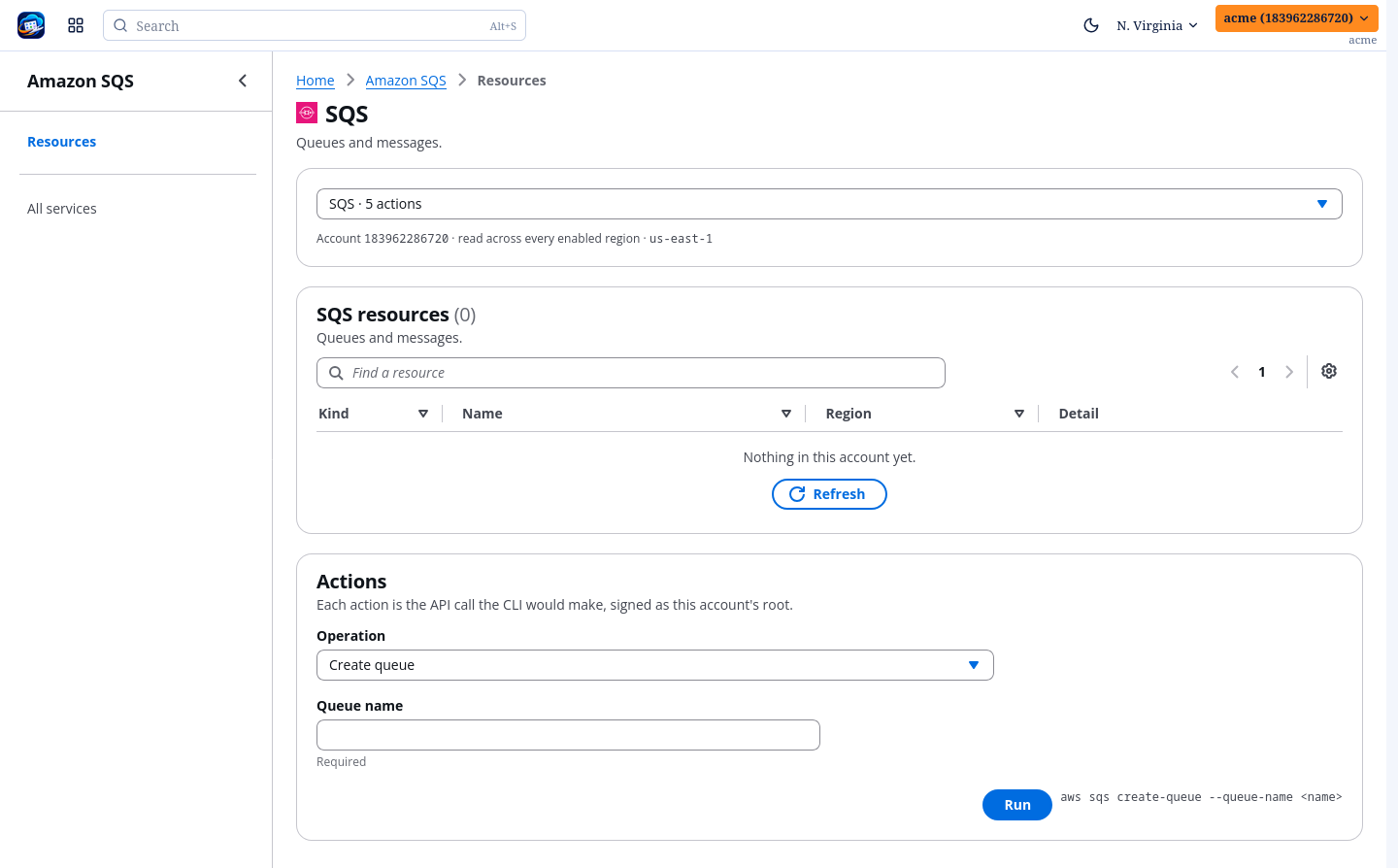
aws command it maps
to.S3
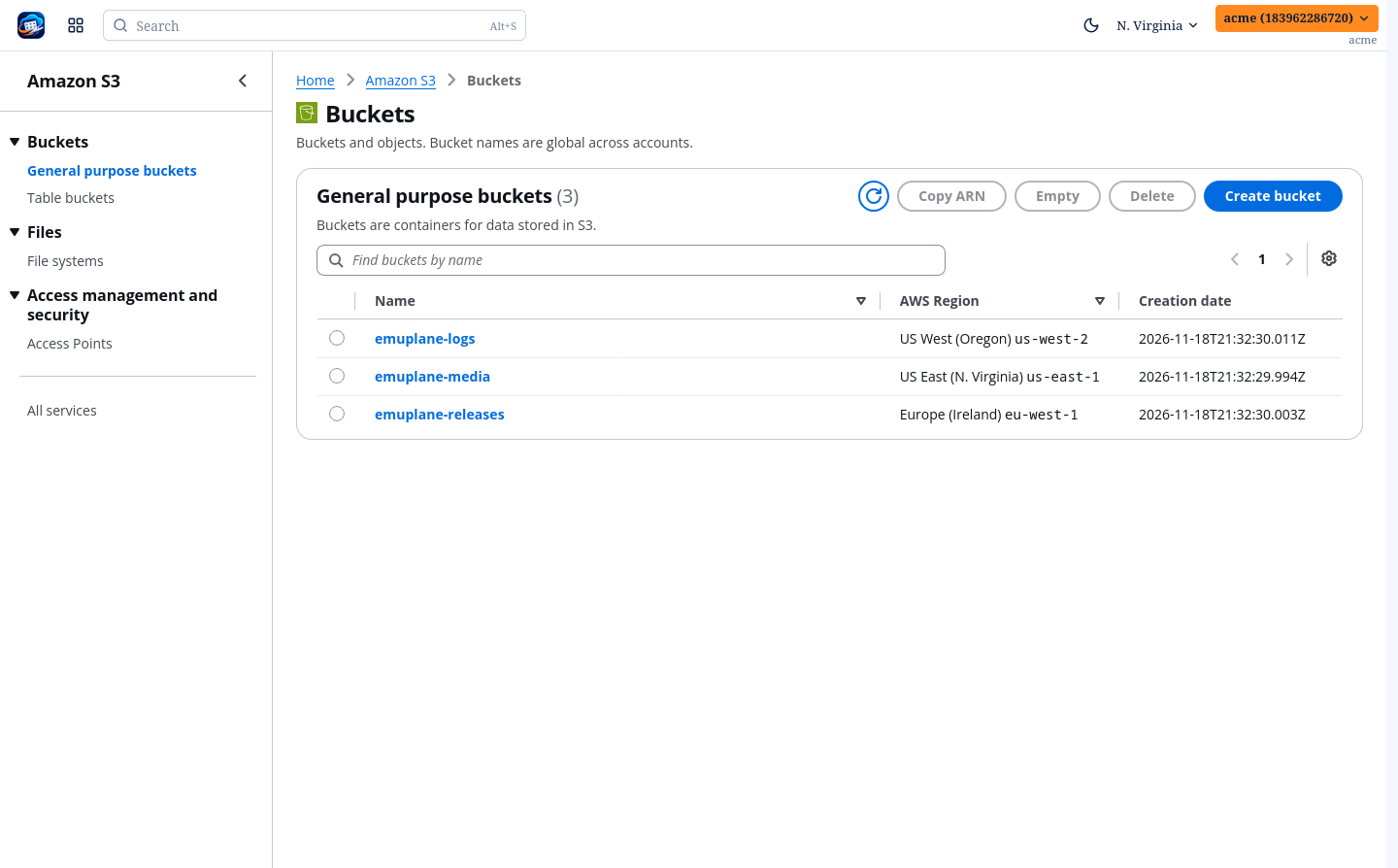
Two pages carry the console's own shape rather than the emulator's:
| Page | What it is |
|---|---|
| Buckets | Every bucket across the account's enabled regions, each row carrying its own region. |
| Bucket | The console's tabs: Objects, Properties, Permissions, Management, File systems, Access Points. |
| Object | Content, Tags, Annotations, Object Lock — each read on its own. |
| Access Points | General purpose, Multi-Region and Object Lambda, each tab read from the region (or the one region) that serves it. |
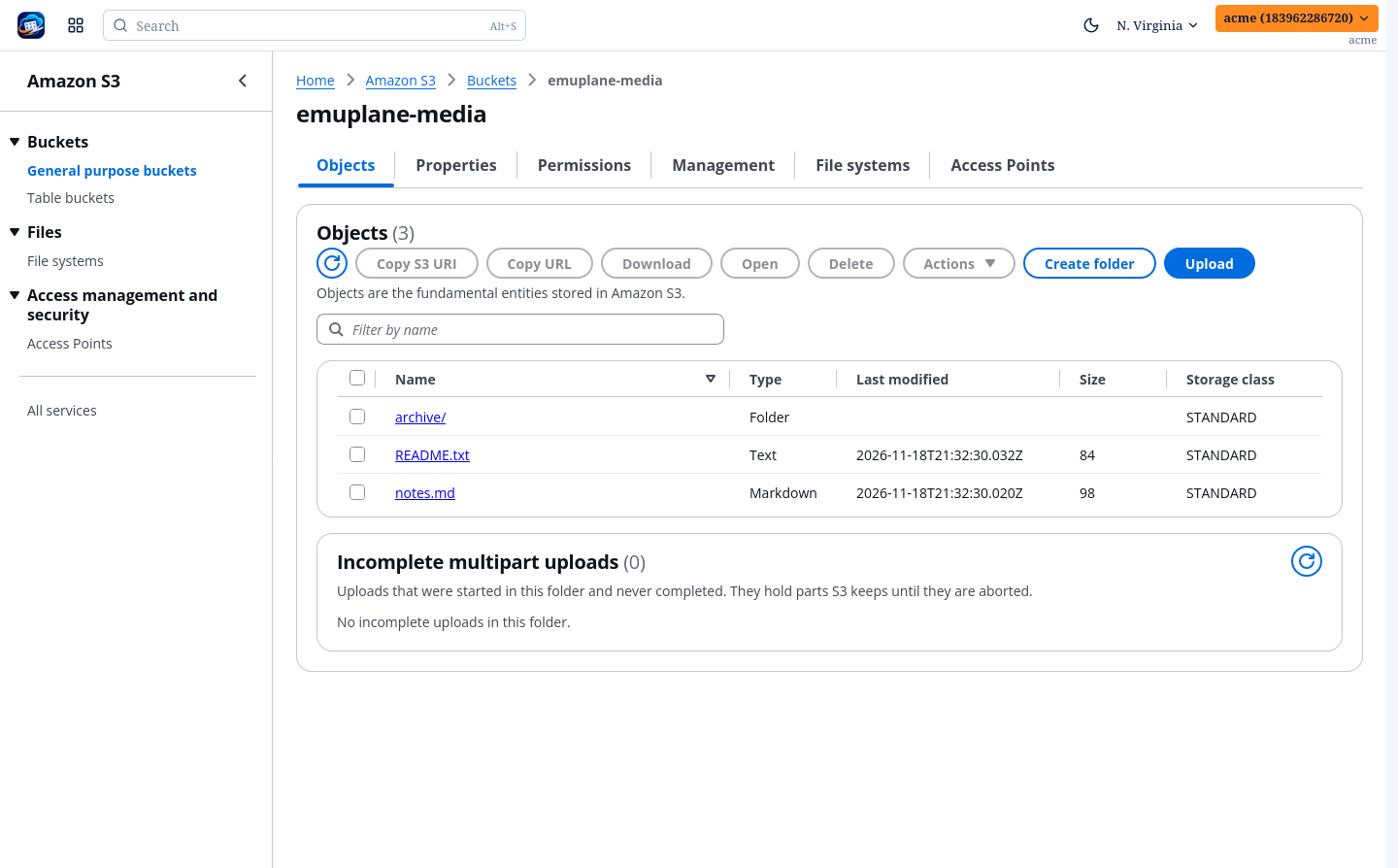
S3 covers what each of those does, with a screenshot of every tab; S3 coverage records which operations are reachable and which are not.
Where the console is deliberately plain
A page never invents a control the backend cannot carry. Directory buckets, Storage Lens and S3 Metrics are absent rather than empty; Object Lambda access points are listed but not created; a failed read is an error alert, not a zero-row table.